Build forms your way
Create surveys, registrations, feedback forms and requests with flexible question types in a straightforward editor.
Create with clarity GAMKERS PORTAL
GAMKERS INTERNAL PRODUCT
A private workspace for the GAMKERS team to build forms, review responses, manage certificates, and send thoughtful updates.
CUSTOMER EXPERIENCE
A few quick questions help our team make your experience better.
THE PLATFORM
Everything your team needs to collect useful information and keep the work around it organised.
Create surveys, registrations, feedback forms and requests with flexible question types in a straightforward editor.
Create with claritySet the confirmation subject and message. Respondents receive a personal email after submitting a published form.
Respond with careManage an internal workspace with admin, developer, and contributor roles and permissions that the admin can change.
Work as one teamImport a CSV contact list and send individually addressed updates with optional name personalisation.
Reach the right peopleNEW TO ONLINE FORMS?
Follow three small steps. You do not need technical knowledge to get started.
Choose what you want to collect: feedback, event registrations, contact details or an internal request.
Tip: keep your first form short and ask only what you need.Give your form a helpful title, add questions and select the answer type that makes sense for each one.
Example: use an email question when you need to send a confirmation.Save a draft while you work. Publish when it is ready, share the public link and review responses in your workspace.
You can return to your form and edit it later.QUICK FEEDBACK
A simple example of the journey from a blank page to a submitted response.
THE GAMKERS LEARNING CENTRE
No videos or outside resources needed. Explore visual guides and practical tips that explain the essentials of creating a useful online form.
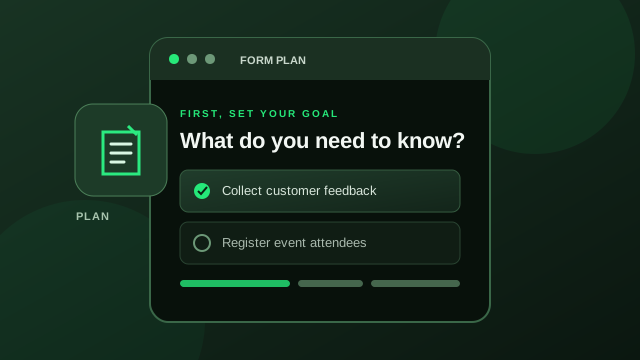
A good form begins with one simple question: what information do you actually need?
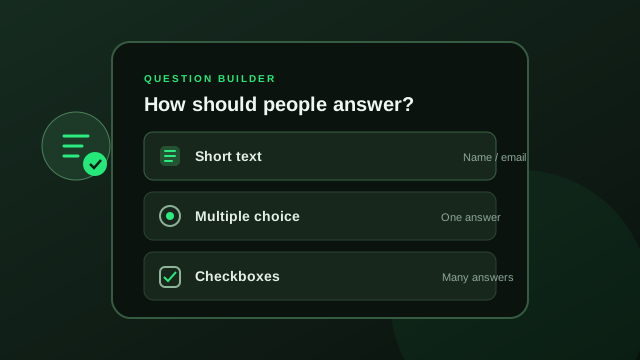
Choose an answer format that feels natural and make your wording clear to everyone.
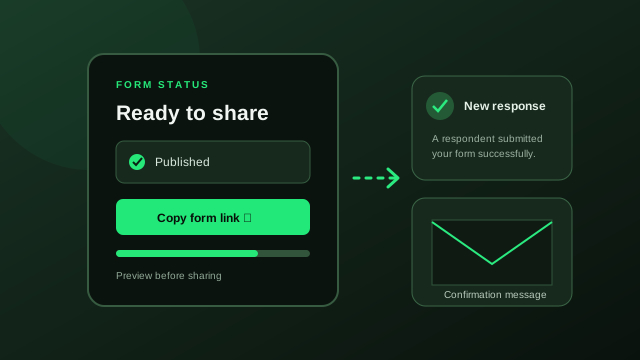
Preview your form, share it when ready, and review the responses that come in.
A WORKFLOW THAT MAKES SENSE
Forms are only the beginning. The value comes from what happens after someone clicks submit. Gamkers keeps the essential steps close together, so your team can focus on the information and the people behind it.
Sign in to continue ↗Start with a draft and add the questions that fit your process.
Make the form available through its public link when it is ready.
Review submitted responses from your organisation workspace.
Send respondents a confirmation using your configured message and email delivery.
GAMKERS INTERNAL PRODUCT
A private, team-managed workspace. Your administrator controls who can access each capability.
This is an internal product. There is no public signup, customer workspace creation, or self-service subscription.
This is an internal product. Access is provisioned and managed by the portal administrator.
MADE FOR EVERYDAY TEAM WORK
Gather opinions after a purchase, service or support interaction.
Collect attendee details and sign-ups for events, sessions and programmes.
Give colleagues a consistent way to submit requests and information.
Keep recurring information collection organised within your workspace.
GAMKERS PORTAL
Sign in with your GAMKERS team account to get started.